
Fashion Product Development Software Guide
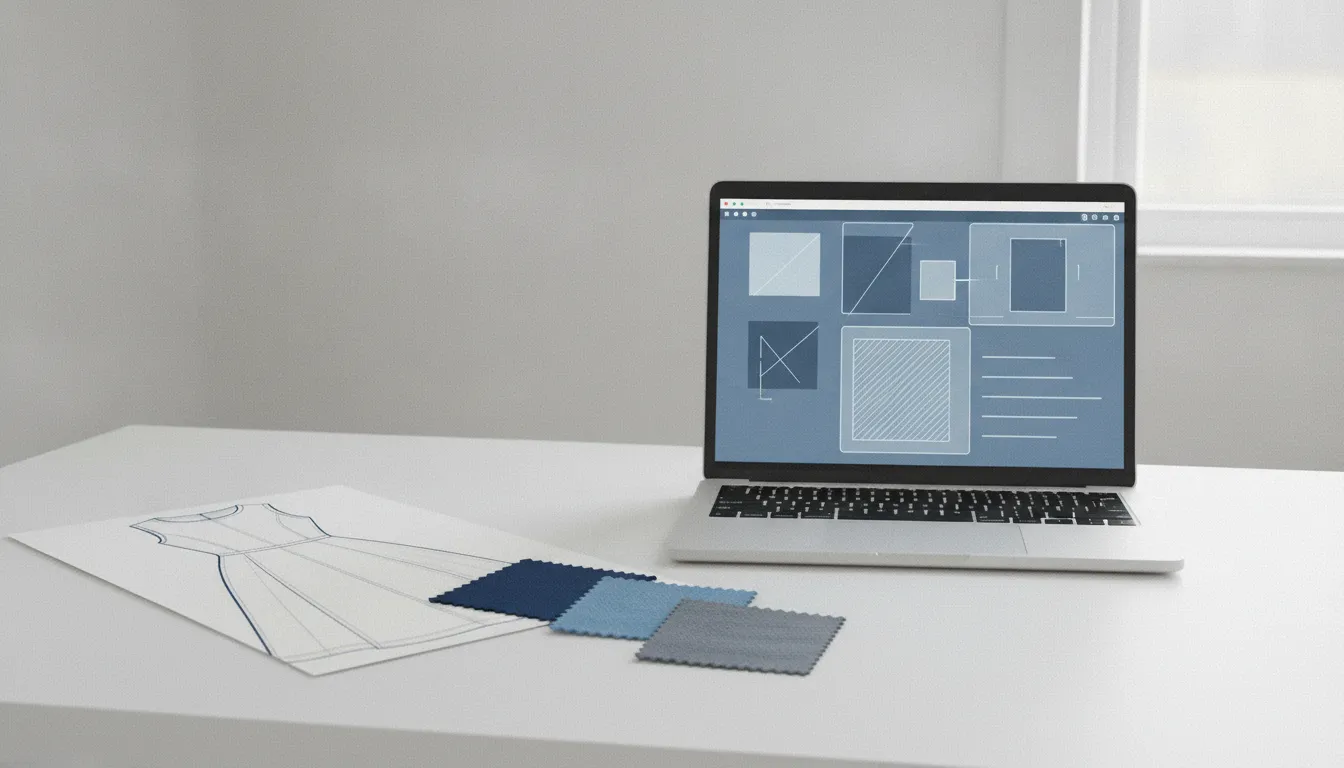
Fashion product development software should help a brand move a garment from an approved design into a record a manufacturer can use. For the related question of shared design work, demos, and pricing, see the fashion design software buyer brief. The useful question is not which app draws the dress. It is which system keeps the sketch, materials, measurements, and sample notes together, and who can see the current version. A team that already designs in other tools needs a place for the product record, not a second drawing program.
See how iCreate Pro organizes product information
What fashion product development software should hold
Product development is the stretch of work between a concept and a garment a factory can make. For most apparel brands, especially teams focused on women's wear and dresses, that stretch includes several pieces. A sketch or photo, a bill of materials, measurements, construction notes, and sample comments all have to sit with a decision about which version is approved.
Wilson College of Textiles at NC State describes the same job in its Fashion Product Development course. Students build a specification package, or tech pack, that a manufacturer could follow: drawings, materials, measurements for each size, trims, finishes, and construction guidance. The point of the package is that someone who did not sit in the design meeting can still make the garment. NC State's account of that course is a clear description of the record, not a software ranking.
Software earns its place when that record stays current. A PDF in an email thread can hold the same fields once. It does not show which file replaced it, who approved the last measurement change, or which factory received the earlier version. Fashion product development software should hold the living record: the assets, the specs, and the status of the style.
That is a different job from drawing the garment. Creative tools remain the place where a designer sketches, builds a pattern, or renders a drape. The product-development system should accept that work and organize what has to travel with it. iCreate Pro is built for that second job. Designers and brands keep creating in the tools they already use. They then organize design assets, materials, and specifications into a Smart Tech Pack a manufacturer can read.
Which problem are you actually buying for?
Teams shop this category after a specific failure, not because a feature list looks complete. Name the failure before you book a demo. Three show up often.
The approved version is hard to find
A style lives in a sketch folder, a spreadsheet, a sample photo album, and a chain of emails. Two people can both believe they have the latest spec. The software question is whether one product record can hold the current assets and show what changed.
The factory asks the same questions twice
A missing point of measure, an unnamed trim, or a colorway that exists only in a rendering sends the style back for clarification. The software question is whether the record is complete enough to hand off, and whether the factory sees that record rather than a forwarded attachment.
Several manufacturers need the same style
A brand may split dresses across more than one factory. Each partner needs the current spec, and none of them should keep access after the project ends. The software question is access control and a shared status, not a new design canvas.
If the pain is the shape of the work rather than the system that holds it, start with the apparel product development process. That guide covers stages and handoffs. This one covers the software decision that follows. When the next question is how to judge a shared design workspace, pricing, and a demo, use the fashion design software buyer brief. It stays on collaboration. It does not choose a drawing app.
How the software categories differ
Search results mix tools that do not do the same work. Sort them by the job. That keeps a brand from buying a drawing app to solve a handoff problem, or a factory suite to solve a missing spec.
| Category | What it is for | What it does not replace | Who usually owns it |
|---|---|---|---|
| Creative and pattern tools. | Sketching, artwork, pattern work, and 3D visualization. | The approved product record or factory access. | Designers. |
| Product development and tech pack systems. | Specs, materials, versions, and a readable handoff. | The original drawing or the factory floor plan. | Design and product teams. |
| Product information systems. | Facts a channel or partner needs to publish or order. | The development conversation that created those facts. | Merchandising and operations. |
| PLM suites. | A broad product record across a season or line. | A small team's first shared spec. | Product leadership. |
| Factory operations systems. | Project tracking, production, inventory, and warehouse work. | The designer's creative file. | Manufacturers and factories. |
iCreate splits those jobs across three products. Pro is for designers and brands. Core is for manufacturers and factories, including teams moving from an analog workflow to a digital one. Power is for next-generation factories. It covers product lifecycle management, an operating view, warehouse management, enterprise resource planning, and rapid response. Explain those as outcomes, not as a pile of acronyms. A brand does not need all three on day one. It needs the product that matches the person who is stuck.
Textile artwork is its own decision. If the open question is repeats, colorways, and file handoff for cloth, use the textile design software guide. Do not treat that question as product-development software.
What to compare before you book a demo
A short demo can look fluent and still miss the work. Ask the vendor to use one real style, ideally a dress you have already developed. Walk the record from the creative file to the handoff. Score the system on the work, not on how many modules the menu shows.
The record itself
Can the system hold the sketch or photo, materials, measurements, construction notes, and sample comments on one style? Does it distinguish a draft from the approved version? A tech pack is only useful if the fields a factory needs are present and current. The same is true of the bill of materials and the garment specification sheet. Software that cannot show those pieces side by side will push the team back to attachments.
Where the design comes from
Confirm that the team can keep its current creative tools. A product-development system that requires the designer to redraw the garment has changed the brief. Look for import or attachment of the files you already make, plus a clear place for the specs that sit beside them.
Who can see it
A designer, a product developer, and a factory contact do not need the same screen. They do need the same approved facts. Ask how you grant access to one style and how you remove it. Then ask what the manufacturer sees when a spec changes after the sample has shipped.
What the manufacturer does next
The handoff fails when the factory receives a file but has no place to confirm status. If your partners will work in the same environment, look at how iCreate Core connects the manufacturing side to the design record. Core is for project tracking and workflow visibility, not for creating the garment design.
If the demo spends its time on drawing tools, 3D drape, or a generic dashboard, ask the presenter to return to the style you brought. The decision is whether a stranger to the design meeting could make that dress from the record on screen.
How this differs from PLM and product information
Product development software, product lifecycle management, and product information management get used as if they were one purchase. They answer different questions.
Product development software, in the sense this guide uses, is the system that carries a style from an existing design to a manufacturer-ready record. It is concerned with the spec, the version, and the handoff.
A PLM suite manages that record across a wider life: line plans, calendars, partners, and later changes. A brand with many styles and several functions may need that breadth. A brand whose immediate problem is a lost spec does not have to start there. The fashion PLM software buyer guide covers that wider decision. The PLM and product information comparison separates the development record from the facts you publish downstream.
Product information is what remains once the style is defined: descriptions, materials, and the attributes another system needs. Fashion product information management is the guide for teams replacing scattered sheets with a single set of product facts. Buy it when the development conversation is already clear and the publishing or ordering record is not.
iCreate Pro sits on the development side of that line. It organizes product information the designer already has and turns it into a Smart Tech Pack. It does not draw the garment, and it is not a claim that one login replaces a factory's planning, warehouse, and finance systems. Those factory questions belong with Power, through a conversation about the operation rather than a self-serve signup.
What a useful pilot looks like
Pick one style and one manufacturer. A dress that already missed a measurement, or a style you are about to resample, is a better test than a hypothetical bestseller. Run the pilot for a single sample round so the team can see whether the record prevented a repeat question.
- Collect the current creative file, the latest spec, the materials list, and the last sample comments. Do not clean them up so the software looks better than the real work.
- Put that style into the system once. Mark one version as approved and leave the older file visible enough that nobody sends it by mistake.
- Share only that style with the factory contact. Ask them to name anything they still cannot make from the record.
- Change one measurement after the share. Check that the factory sees the new version and can tell it from the old one.
- Close the share when the sample round ends. Confirm the access is gone.
Write down the questions the factory still asks. Those gaps are either missing fields in the record or a workflow the software does not support. Both are useful answers. A pilot that only proves a team can upload a PDF has not tested product development.
Sample status deserves its own look if fitting comments are the main source of confusion. The apparel sample tracking software guide covers that narrower decision. Use it beside this pilot, not in place of the product record.
How iCreate fits the handoff
iCreate.Fashion is a global fashion-industry platform that connects designers, brands, and manufacturers around product information. The public site describes the work as a clearer handoff. Keep the creative tools you already use, organize what sits behind the design, and prepare information a manufacturer can use.
For a designer or brand, that path is iCreate Pro. You bring designs from the tools you already use. You keep design assets, materials, and specifications together. You create a Smart Tech Pack that is readable by people and by the systems that need the same facts. Signup for Pro is direct, at the iCreate Pro registration page. Pro does not create the garment design. If a demo implies that it draws, patterns, or replaces a CAD program, that is a misunderstanding of the product.
For a manufacturer, the matching path is Core. Factories use it to connect with designers and brands, track the project, and see the information that was approved. The public line for that product is specific: it is for factories transitioning from an analog world to a digital world. It is not a drawing tool and it is not a promise to run every machine on the floor.
Power is the conversation for a factory that needs a broader operating picture. Product lifecycle management, warehouse management, and enterprise resource planning belong in that discussion once the team can say which outcome it needs. Say those outcomes in plain language. Core and Power both start from Contact Us, because the right scope depends on the operation.
Brands that already split work across factories can read the guide to managing multiple manufacturers before they decide how wide the first share should be. The software choice still comes back to one test: can each partner see the current record, and only that record?
What to decide before you commit
A short list is enough to choose a direction. Answer it from the last season, not from a generic request for proposal.
- Which single style caused the most rework, and which fact was missing when the factory asked?
- Which creative tools must stay in place? Name them, and reject any system that asks the team to redraw that work.
- Who approves a spec change, and where is that approval visible today?
- Which manufacturer needs access first, and when should that access end?
- Is the gap a style record, a season-wide PLM suite, or a factory operating system? Pick one as the first purchase.
If the answers point to a missing style record, start with Pro and a single dress. If they point to a factory that cannot see project status, talk about Core. If they point to production, inventory, and planning across a larger operation, talk about Power. Buying all three to feel covered usually recreates the pile of tools you were trying to leave.
Keep the first season small enough to judge. One line of dresses, one manufacturer, and one sample cycle will show whether the record is doing the work. A catalog-wide rollout before that test mostly shows how long data entry takes.
Review iCreate Pro for your next handoff
Frequently asked questions
Does fashion product development software replace a design app?
No. Design apps and CAD tools are where the sketch, pattern, or 3D idea is created. Product development software should store that work. It should also store the specs, materials, and approvals that have to travel with it. iCreate Pro is explicit on this point. Designers keep the creative tools they already use.
What should a tech pack in the system include?
Include the views a factory needs, materials and trims, measurements with tolerances, construction notes, and a visible approved version. NC State's product-development coursework treats that specification package as the manufacturer's step-by-step guide. If a field is missing, the software cannot invent it later.
How is this different from PLM?
A product-development record carries one style from an existing design to a handoff. A PLM suite manages that kind of record across a line, a calendar, and more partners. Some brands need the suite. Many need a reliable style record first. Choose based on the decision you are stuck on now.
Can a manufacturer work from the same record?
They should. The test is simple. The factory sees the approved spec, can tell a new version from an old one, and loses access when the project ends. On iCreate, that manufacturer path is Core, connected to the design information organized in Pro.
Where should a brand start?
Start with one style that already caused a sample delay. Put its current files and specs in the system, share only that style, and change one measurement during the pilot. Designers and brands can sign up for iCreate Pro. Manufacturers and factories should use Contact Us to discuss Core or Power.