
Tech Pack Fashion: From Design to Production
A fashion concept becomes easier to produce when everyone involved can work from the same practical source of truth. A sketch may communicate silhouette and creative direction, but it rarely captures every detail a product developer, supplier, or factory needs to interpret consistently.
Ready to turn fashion concepts into organized production information? Sign up for iCreate Pro to create, organize, and share tech packs and fashion projects.
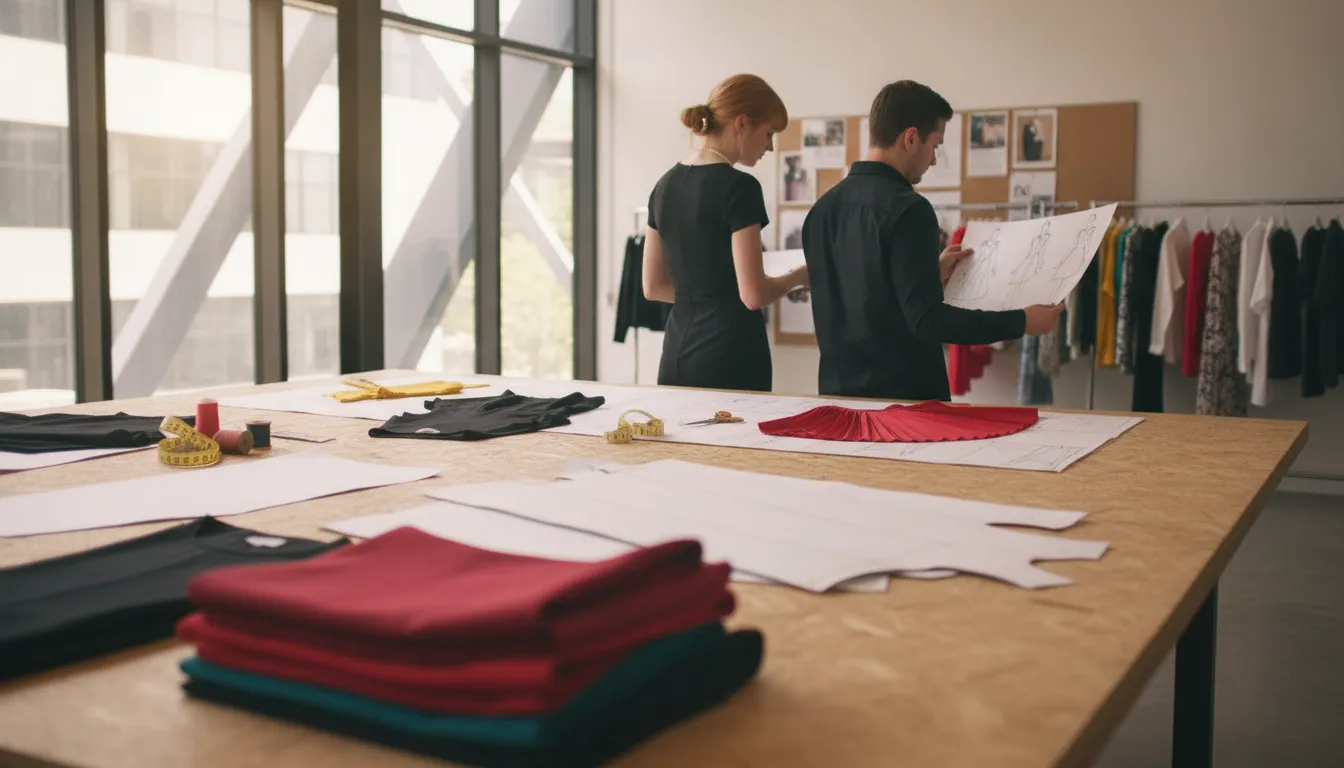
A fashion tech pack connects design intent with production information.
A tech pack fashion workflow turns design intent into organized production information, bringing together technical sketches, construction notes, measurements, materials, colorways, and other product requirements. It is not a universal checklist: the right contents depend on the garment, development stage, and manufacturing partner.
That distinction matters for both emerging designers and established brands. Start with the tech pack’s role as a communication artifact and its difference from a mood board or sketch.
What Is a Tech Pack in Fashion?
A tech pack in fashion is a detailed production document that explains how a garment or product should be made. It translates a designer’s creative intent into organized information that product developers, suppliers, manufacturers, and quality teams can review and use during development. In iCreate.Fashion’s FAQ, a tech pack is described as a detailed blueprint for communicating how a product should be made. In practical terms, it gives the people responsible for production a shared reference point before materials are ordered, samples are reviewed, or manufacturing begins.
A fashion tech pack can contain flat sketches, instructions, garment measurements, construction details, and technical notes. The exact contents depend on the product, team, factory, and stage. Its purpose is to make important decisions visible and understandable. The document gathers information needed to interpret the design and move it through development.
A production communication artifact, not just a design file
A mood board communicates direction. It may show references for color, proportion, texture, styling, or atmosphere. A sketch communicates the intended silhouette and visual idea. Both are valuable creative tools, but neither necessarily tells a factory how to construct the product. A sketch alone may not specify seam placement, stitch type, finished measurements, materials, labeling, or other details that affect the finished garment.
A tech pack bridges that gap. It can pair front and back technical views with callouts, construction notes, measurement points, material information. And handling instructions. iCreate’s FAQ notes that flat sketches with callouts are essential, while 3D renderings are optional. A rendering can help visualize a product, but it does not automatically provide production instructions.
Why tech packs reduce ambiguity
Manufacturing involves handoffs among people who may work in different companies, locations, languages, and time zones. Without a shared technical reference, a phrase such as “relaxed fit” or an image of a pocket can be interpreted differently by a designer, pattern maker, and factory. A tech pack cannot remove every judgment call, but it creates a place to record the intended interpretation and identify open questions.
That clarity supports communication during product development and manufacturing. The New School describes technical packages as tools for clear communication and streamlined manufacturing. For practical tech pack details and common questions, review iCreate.Fashion guidance. Confirm requirements for the particular product and manufacturing partner.
A mood board inspires, a sketch communicates appearance, and a tech pack connects design intent to production action.
What Should a Complete Fashion Tech Pack Include?
A complete fashion tech pack translates design intent into production information that a product developer, supplier, or factory can review and act on. A technical package commonly brings together flat sketches, instructions, garment measurements, construction details, and technical notes, supporting clearer communication during product development and manufacturing. The exact contents should vary by product, materials, construction method, destination market, and factory process. Treat the list below as a practical framework, not a universal form that every garment must follow.
| Tech pack area. | What to document. | Why it matters. |
|---|---|---|
| Design and construction. | Flat sketches, views, callouts, seams, stitching, finishes, and special techniques. | Turns visual intent into instructions that can be reviewed before sampling. |
| Materials and color. | Fabric composition and weight, trims, suppliers, colorways, and fabric options. | Aligns sourcing decisions with the intended look, hand, and performance. |
| Fit and quality. | Size range, POM diagram, measurements, tolerances, and testing requirements. | Creates a shared reference for fit review and quality control. |
| Delivery and compliance. | Labels, care information, packaging, carton or pack-out details, and shipping instructions. | Connects the finished product to consumer information and delivery needs. |
1. Artwork and construction details
Start with clear flat sketches, including at least front and back views. Add inside, detail, or construction views when a feature cannot be understood from the main drawings. Call out seams, stitching, finishes, closures, pockets, artwork placement, and any special operations. Black-and-white sketches are often preferred for clarity.
A 3D rendering can be useful as an optional visual aid rather than a replacement for technical flats. The goal is to remove ambiguity, not to add visual polish for its own sake. These details are consistent with the customer FAQ guidance on flat sketches, multiple views, and technical drawing detail.
2. Materials, BOM, and colorways
List the materials needed to make the product, including fabric composition, weight where useful, and any relevant performance or finishing notes. A bill of materials, or BOM, should identify trims such as zippers, buttons, labels, thread, elastic, and hardware. Include a supplier or source reference when known, although supplier information may be recommended rather than mandatory at an early stage. Define each colorway separately so the factory can distinguish changes in fabric, trim, thread, print, embroidery, or hardware. A colorway tool or structured color section is especially helpful when one style has multiple fabric options.
3. Measurements, POM, and tolerances
Document every size offered and provide a point-of-measure, or POM, diagram that shows exactly where each measurement is taken. A measurement chart should identify the base size, grading logic where relevant, and the expected finished dimensions. Include tolerances, but do not assume that one allowance works for every style or factory. The customer FAQ mentions 1/4 inch as a standard tolerance, yet 1/4 inch is not universal. Tolerance depends on the measurement, material, construction, product category, and quality agreement. Confirm the acceptable range with the responsible product and manufacturing teams.
4. Testing, packaging, shipping, and labeling
Record testing and preparation requirements that affect production or quality review. This may include pre-cut fabric resting and other product-specific tests or handling instructions. Define packaging, folding or packing method, protective materials, assortment details, and shipping requirements before the handoff.
Labeling should cover the information required for the intended market and product. In the United States, FTC clothing and textile guidance explains that most textile and wool products must disclose fiber content, country of origin, and the identity of the responsible business. Care instructions also matter, and fiber claims must accurately reflect the fabric content. Confirm applicable rules for every destination rather than copying a label format from another product.
Finally, review the tech pack with the people who will use it. A designer may own the creative decisions, while product development, sourcing, quality, and the factory clarify execution details. A well-organized package keeps artwork, construction, materials, measurements, compliance, and delivery instructions connected, so changes can be discussed against one shared production reference.
How to Build a Tech Pack From Concept to Production
Building a tech pack fashion teams can use effectively means translating design intent into clear production information. A technical package supports communication during product development and manufacturing, helping the people involved work from the same understanding of the garment. It is not only a sketch or an inspiration board. It brings together the details a factory needs to interpret, review, sample, and produce a product.
The workflow below can be adapted to the product, team, and manufacturing partner. The goal is not to force every project into identical fields. It is to create a traceable set of specifications that connects the original concept with decisions made during development.
- Define the design intent. Start by recording what the product is meant to be, how it should look, and which details are essential to its identity. Add clear technical artwork with the views needed to explain the design. Front and back views are a useful starting point, while inside or detail views can clarify construction areas that are not obvious from the main drawings. Callouts should identify important seams, stitching, finishes, and other construction decisions. The clearer the design intent, the less the factory must infer from an image alone.
- Translate the concept into specifications. Turn visual decisions into written instructions that can be reviewed by product developers and manufacturers. Capture construction details, garment measurements, and technical notes in a consistent structure. A workflow that guides the user through fields needed by factories can help reveal missing information before the package is shared. For a small brand, the designer may create most of the tech pack. In a larger team, design, product development, and production responsibilities may be divided, so ownership of each decision should be clear.
- Document materials and measurement logic. Describe the materials and the way they are used in the product, then connect those choices to the relevant specifications. Include every size the product will offer, rather than leaving the factory to infer the size range. Add a point-of-measure diagram so each measurement has a defined location. If tolerances are used, state them in the project specification and confirm that they fit the product and manufacturer’s requirements. A quarter-inch tolerance appears in the customer FAQ as guidance, but it should not be treated as a universal rule for every garment.
- Record testing, packaging, and shipping requirements. Before factory review, include production conditions that could affect the result. The workflow may include testing needs such as pre-cut fabric resting, along with packaging and shipping fields. These details belong in the same controlled product information set as the garment specifications because they influence how the finished product is handled and prepared for delivery.
- Review the package with the factory. Share the draft with the selected manufacturing partner and invite questions on construction, measurements, materials, testing, and delivery details. This is a review stage, not a promise that every factory will interpret the package identically. Resolve ambiguities in writing, identify decisions that need confirmation, and record any changes agreed by the relevant people.
- Use samples to test the written decisions. Compare each development sample with the approved artwork and specifications. Review fit, measurements, construction, materials, finishes, and any packaging or labeling requirements that apply to the project. Collect feedback from the appropriate design, product, and manufacturing stakeholders. The number and timing of samples will depend on the product and workflow. So the tech pack should support evidence-based decisions rather than assume a fixed number of rounds.
- Apply controlled updates before production. When feedback changes the product, revise the affected specifications, measurements, drawings, or notes and make the current version easy to identify. Keep earlier decisions available for reference, but ensure the factory receives one clearly authorized version for the next stage. A controlled update process helps preserve the link between concept, sample feedback, and production communication. Once production begins, changes should be coordinated directly with the manufacturer and documented carefully.
A well-built tech pack is a working communication tool, not a static design file. Its value comes from making decisions visible, specific, and easier to review.
How Tech Packs Improve Collaboration Across Fashion Teams
In fashion product development, a tech pack gives different teams a shared reference for turning design intent into a manufacturable product. It supports clear communication across product development and manufacturing by bringing sketches, construction notes, measurements, materials, and other decisions into an organized production record. Each participant can work from the same set of instructions instead of relying on separate messages or memory.
That shared language matters because every handoff has a different purpose. Designers express the look and essential details. Product developers translate those decisions into specifications. Suppliers need material and component information. Manufacturers use the available details to plan construction. Quality teams need a reference for checking the product. The tech pack does not replace professional judgment, but it gives each team a common basis for questions, decisions, and revisions.
Clearer handoffs from design to production
A practical tech pack helps reduce ambiguity when a project moves from one role to another. A designer can point to the intended construction detail, while a product developer can identify which information still needs clarification before factory review. A supplier can respond to a defined material or component request. And a manufacturer can raise a question against a specific part of the package rather than trying to reconstruct the original concept. This is the type of communication that technical packages are intended to support in product development and manufacturing.
Quality teams also benefit from a stable reference point. They can review measurements, construction expectations, and other product requirements alongside sample observations. The team can then discuss whether an issue is a design decision, material substitution, manufacturing interpretation, or approved update.
Controlled access and visible project progress
Collaboration also requires control. A fashion business may share product information with a supplier or manufacturer without making every design asset available to every participant. iCreate states that users can control design access and revoke it when needed. Access decisions should reflect each business’s contracts and approval process.
Project tracking adds clarity. When a team can see project details, open questions, decisions, and current information in context. It is easier to understand what has been handed off. iCreate Core is described as connecting manufacturers and professional designers globally while tracking project details. Its coordination of product details with manufacturers illustrates a connected workflow.
This approach fits a broader fashion ecosystem in which design and product information may need to connect suppliers, manufacturers, retailers, consumers, and financial institutions. The goal is to make the right information easier to find, discuss, update, and hand off at the right stage.
Tech Pack vs Spec Sheet vs Product Information Management
These terms overlap in fashion product development, but they describe different levels of information. A tech pack is a production communication package, or detailed blueprint, that explains how a garment or product should be made. It can bring together flat sketches, instructions, measurements, construction details, and technical notes. The goal is to communicate design intent clearly during product development and manufacturing.
A spec sheet is usually a narrower document or section within that package. It may focus on measurements and points of measure, construction instructions, materials, tolerances, or another defined set of specifications. In other words, a spec sheet can be one component of a broader tech pack, rather than a competing replacement for it. The exact boundary depends on the business, product, and factory workflow. One team may use the term for a measurement sheet, while another may use it for a more extensive set of technical specifications.
For example, a tech pack might contain the garment’s front and back flat sketches. Callouts for seams and stitching, material details, colorways, a bill of materials, size specifications, testing needs, and packaging instructions. A spec sheet inside that package might describe the measurements for each offered size and the method for checking them. A tolerance can also be recorded where it is relevant, but a figure such as one-quarter inch should not be treated as a universal rule. Tolerances depend on the product, measurement point, construction, and agreed production requirements.
How product information management fits in
Product Information Management (PIM) is a system-level approach to organizing and reusing product information across a business. It is not just one document sent to a factory. A PIM approach can help a team maintain product details, attributes, materials, specifications, versions. And related content in a structured environment, then provide the appropriate information to different users or channels. The fields, permissions, integrations, and workflows are not identical in every PIM system. The term should be understood as an operating model and technology category rather than a fixed template.
Digital tools can connect these layers without erasing their differences. For example, iCreate describes its Smart Tech Packs as human- and machine-readable. While its FAQ presents the tech pack as a detailed blueprint for communicating how a product should be made. That positioning is specific to iCreate, not a universal definition of every digital tech pack or PIM platform.
The practical question is whether your workflow keeps the production-ready detail of a tech pack. The focused measurements or requirements of a spec sheet, and the reusable organization of product information connected without treating them as the same artifact.
Why Structured Product Information Matters in Fashion
A tech pack can communicate a garment clearly, but surrounding product information also needs a dependable home. When sketches, measurement charts, bills of materials, supplier notes, testing requirements, and shipping instructions are scattered across email threads. Spreadsheets, PDFs, and local folders, teams may spend more time locating current details than evaluating the product. A disconnected file set can also make it harder to see how one change affects related information.
Structured product information gives each detail a clear place, context, and relationship to the rest of the product. A fabric choice can connect to its composition, weight, colorway, supplier, care requirements, and intended style. A measurement can sit alongside its point-of-measure reference and review notes. Product requirements vary by garment, market, factory, and stage. The goal is to make information easier to understand, maintain, and reuse.
From disconnected files to a usable product record
In a growing fashion operation, product details travel through design, sourcing, manufacturing, quality, and fulfillment. Designers need visual references. Manufacturers need materials, measurements, and production instructions. If each handoff begins with a new attachment or copied spreadsheet, version control becomes a practical risk.
Organized data supports a more consistent handoff because teams can work from a shared product record rather than reconstructing context from separate files. When a fabric, colorway, measurement, or packaging requirement changes, the team can review the related information together and decide what needs to be communicated next.
The broader apparel technology landscape has long recognized the importance of integration and reference data. NIST groups textile and apparel standards into areas including integration standards, test methods, quality standards, and reference data and materials. Its discussion of apparel product data also points to the value of connecting information across design and manufacturing processes. In practical terms, structured product information gives a fashion business a clearer basis for collaboration without claiming that a software system replaces technical judgment or factory expertise.
How iCreate approaches Smart Tech Packs
For iCreate.Fashion, the Smart Tech Pack positioning extends the idea of an organized tech pack. iCreate describes its Smart Tech Packs as human- and machine-readable. With integrations such as Shopify and ShipStation. That wording is specific to iCreate’s offering, not a universal definition of every digital tech pack. iCreate Pro is positioned as a cloud platform for creating. Organizing, and sharing tech packs and fashion projects. iCreate Power focuses on consolidating product details, materials, and specifications in an organized system.
This approach connects product information to the wider garment ecosystem. iCreate describes its platform as linking design and product information with suppliers, manufacturers, retailers, consumers, and financial institutions. Its Power offering includes PLM, OS, WMS, ERP, and Rapid Response capabilities. For teams evaluating a connected workflow, organized garment product information is a useful starting point.
Whether a business uses specialized software or a maintained internal system, product information should be understandable, purposeful, and controlled through the lifecycle.
Choosing a Tech Pack Workflow for Your Fashion Business
The right tech pack workflow depends less on company size than on the number of people, products, and production decisions that must stay aligned. An independent designer may need a clear way to turn creative intent into information a supplier can use. A growing brand may need repeatable project organization. A manufacturer or factory may need dependable visibility across designer relationships, materials, specifications, and production activity. Start by matching the workflow to the handoffs you need to manage.
For independent designers
If you are developing a small collection or a first product. Begin with a focused workflow that keeps the design source, technical drawings, measurements, materials, and revision notes together. Decide who owns each update before sending information to a supplier. A simple review checklist can help confirm that garment views, construction instructions, size information, and open questions are clear.
Keep access limited to the people who need the files. iCreate says users can control access to a design and revoke access when needed. This can help when sharing creative work with external partners.
For growing brands
As a brand adds styles, colorways, suppliers, and internal reviewers, a folder of disconnected files becomes harder to govern. Choose a named source of truth, visible ownership, and a clear method for recording changes. Designers often create tech packs at smaller brands, while larger teams may divide responsibilities across design, product development, sourcing, and production. The workflow should reflect those roles.
For manufacturers and factories
Manufacturers should evaluate a workflow from the receiving side. Can your team quickly find the product details needed for a project? Can questions, decisions, and revisions be tracked without relying on long email threads? Can the process support different designers and brand partners without forcing every project into an identical template? A practical workflow should make gaps visible early, while leaving room for product-specific materials, measurements, construction details, testing needs, packaging, and shipping information.
When a connected platform may fit
iCreate Pro is described as a cloud platform for creating, organizing, and sharing tech packs and fashion projects. It is tailored for designers and brands, with a focus on creating, storing, organizing, and connecting intellectual property with the industry ecosystem. If that matches your needs, explore iCreate Pro for designers and brands.
For manufacturer and designer collaboration, iCreate Core is designed to connect manufacturers with professional designers globally and track project details. For factory operations, iCreate Power consolidates product details, materials, and specifications in one organized system and includes PLM, OS, WMS, ERP, and Rapid Response capabilities. These products represent different workflow needs rather than a universal prescription. Choose the level that reflects your responsibilities, partners, and operational scope.
Designers and brands: sign up for iCreate Pro to create, organize, and share fashion tech packs. Manufacturers and factory teams: contact iCreate to discuss iCreate Core or iCreate Power for your workflow.
Frequently Asked Questions
What is a tech pack in fashion design?
A tech pack is a structured production communication document that translates design intent into actionable information for product development and manufacturing. It commonly brings together flat sketches, construction instructions, measurements, technical notes, materials, and other product details. The result gives designers, brands, suppliers, and manufacturers a shared reference instead of relying on a sketch or verbal explanation alone. iCreate’s FAQ describes a tech pack as a detailed blueprint.
Who is responsible for creating a fashion tech pack?
Responsibility depends on the size and structure of the business. An independent designer or a designer at a small brand may prepare most of the package. While a larger team may divide the work among design, product development, technical design, sourcing, and production roles. Establish ownership for each section and confirm that the final version is clear to the manufacturing partner.
Are flat sketches enough, or should a tech pack include 3D renderings?
Flat sketches with clear callouts are the core requirement for communicating garment construction. Include front, back, and any inside or detail views needed to explain seams, stitching, finishes, and other features. Three-dimensional renderings can help visualize the concept, but they are optional and should supplement rather than replace technical drawings. Black-and-white artwork may also improve clarity when color is not the information being communicated.
What information should be included for materials and components?
Include the materials, trims, colorways, measurements, and construction details needed to develop and produce the specific product. A bill of materials can organize components such as zippers and buttons. Fabric composition, weight, supplier details, labeling, care, packaging, and shipping information may also be relevant. Requirements are context-dependent, so confirm the information your factory and compliance process need.
What makes a digital tech pack different from a collection of files?
A digital workflow can keep related product information organized, current. And accessible for the people responsible for design and production. iCreate describes its Smart Tech Packs as human- and machine-readable. With tools for creating, organizing, and sharing fashion projects. That is an iCreate product capability, not a universal definition of every digital tech pack. Access controls can also help teams share design information while retaining control of the work.
Ready to Organize Your Fashion Product Information?
When tech packs, design files, and project details are organized in one workflow, it can be easier to keep creative intent connected to production collaboration. Explore iCreate Pro for designers and brands who want to create, organize, and share tech packs and fashion projects.