
Apparel Manufacturing Software: A Complete Guide
Apparel businesses rarely struggle because they lack product ideas. The harder problem is carrying accurate information from a sketch and tech pack to sampling, sourcing, production, inventory, and fulfillment without losing context along the way.
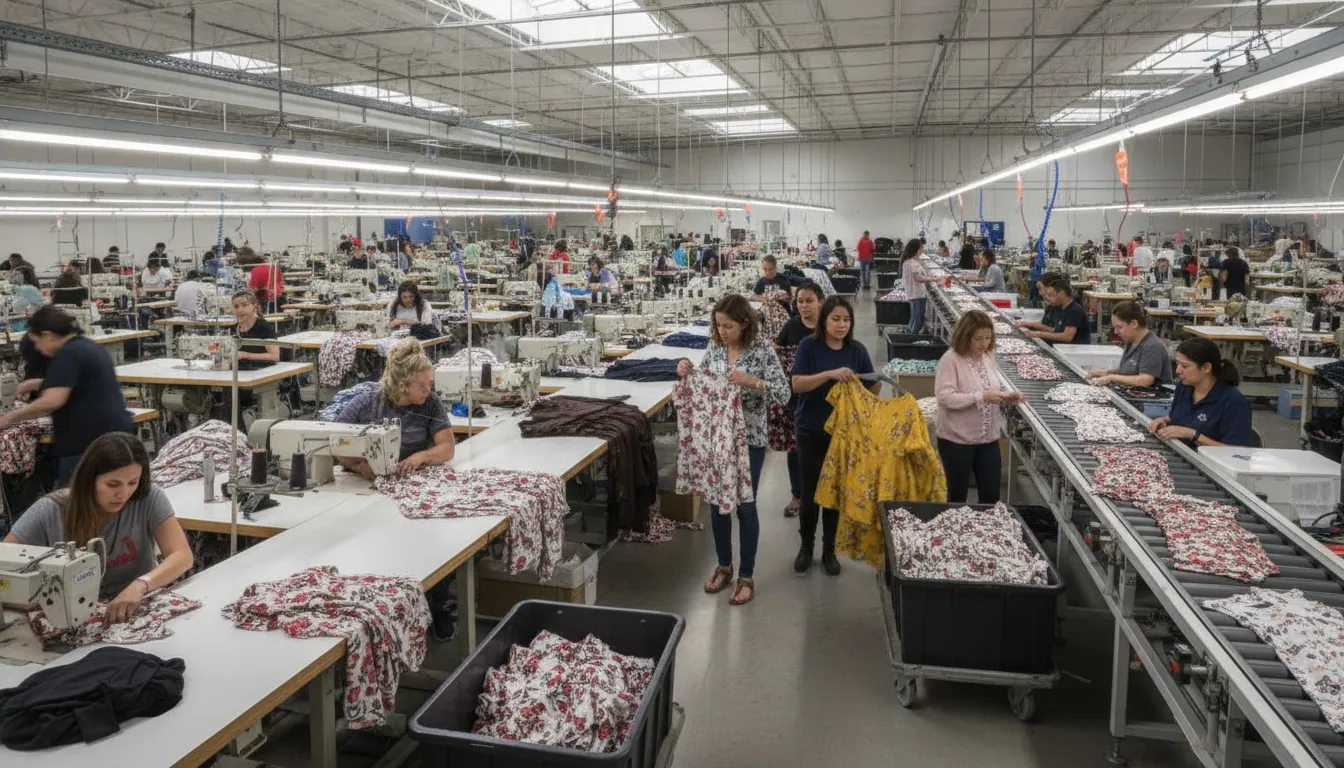
Ready to explore a connected apparel manufacturing workflow? Contact iCreate.Fashion to discuss the right software direction for your team.
Apparel manufacturing software connects product development, manufacturer collaboration, factory execution, and inventory information in a more coordinated workflow. Depending on the business, it may include fashion PLM, ERP, WMS, factory operations tools, or a combination of these systems.
That distinction matters because a designer, a garment manufacturer, and a factory operator do not need the same interface or capabilities. The right technology helps each participant work from clearer product information while giving the wider supply chain better visibility. To understand where these tools fit, start with what the category actually does and how it supports day-to-day apparel production.
What Does Apparel Manufacturing Software Do?
Definition: Apparel manufacturing software is a connected set of tools that organizes product information, production work, inventory, and supply-chain activity for fashion businesses. It helps move a garment from an initial idea through specifications, sourcing, manufacturing, warehousing, and fulfillment while keeping the relevant people aligned around the same product data.
The users are not limited to factory managers. Designers and product developers use it to structure styles, colorways, measurements, construction details, and materials. Brand founders, creative directors, and production teams use it to coordinate approvals and communicate requirements to suppliers. Manufacturers use it to manage customer projects, plan work, and maintain visibility across orders. Factory leaders and operators use production, warehouse, and business information to support daily execution. Suppliers, retailers, and other ecosystem participants may also depend on accurate information as a product moves through the value chain.
Why fashion requires more than generic business software
Generic enterprise software can manage useful business processes, but apparel products carry a level of variation that ordinary records may not represent well. A style can exist in multiple colors, sizes, fabrics, fits, and packaging configurations. Its bill of materials may change by variant, while measurements, tolerances, artwork, labeling, and construction instructions must remain connected to the right version of the product.
That product information also changes as a collection moves from concept to sample, approval, purchasing, production, and inventory. A disconnected spreadsheet, email thread, or static document can make it harder to know which specification is current. Fashion-specific software gives creative and operational teams a shared structure for the details that affect cost, materials, capacity, quality, timing, and stock.
In practice, the category can include several connected capabilities. Product lifecycle management, or PLM, organizes product development. Enterprise resource planning, or ERP, supports business transactions and operational planning. Warehouse management systems, or WMS, help manage stored materials and finished goods. Factory operating systems support shop-floor execution and production visibility. The right architecture may combine these functions or connect specialized systems, depending on the business.
For example, iCreate.Fashion positions its platform across design, manufacturer collaboration, and factory operations. Its product lines distinguish the needs of designers and brands, manufacturers working with designers, and factory operators. That broader model reflects why apparel manufacturing software should be assessed as a workflow, not just a database or accounting tool. A fashion platform for manufacturers and brands should help relevant product and production information travel with the work, from creative decisions to operational action.
How Do PLM, ERP, WMS, and Factory Operations Systems Fit Together?
These systems manage different layers of the same apparel workflow. Product lifecycle management, or PLM, organizes what is being made and the product information needed to make it. Enterprise resource planning, or ERP, connects business transactions and operational planning. A warehouse management system, or WMS, controls the storage and movement of materials and finished goods. Factory operations systems support the day-to-day execution of production on the shop floor.
The distinction matters because replacing one system does not automatically solve every information gap. A tech pack may define construction and materials, an ERP may use that information for purchasing and financial planning. And a WMS may record where the fabric or finished garments are located. Production management then helps teams understand what is scheduled, in progress, delayed, or ready for the next operation. The value of integrated garment production systems comes from connecting these responsibilities without confusing them.
| System area | Primary purpose | Teams served | Questions it should answer |
|---|---|---|---|
| PLM | Manage product development information from concept through production readiness. | Design, product development, technical design, sourcing, and production teams. | What is the approved product? Which materials, measurements, construction details, and packaging requirements apply? |
| ERP | Coordinate business processes, transactions, planning, purchasing, and operational records. | Finance, operations, purchasing, production planning, sales, and management. | What has been ordered, purchased, produced, received, sold, or committed, and how does it affect the wider business? |
| WMS | Manage the receipt, storage, picking, transfer, and dispatch of materials and goods. | Warehouse, inventory, logistics, fulfillment, and operations teams. | What stock is available, where is it located, and what movement should happen next? |
| Factory operations system | Support production execution, visibility, routing, and coordination across factory activities. | Factory leaders, supervisors, line teams, quality, maintenance, and production control. | What is running now, what is waiting, where is the constraint, and what action supports the production plan? |
| Production management | Translate orders and product requirements into schedules, work assignments, and progress tracking. | Production planners, factory managers, manufacturers, and brand operations teams. | Which order or style is being made, what resources are needed, and is progress aligned with the plan? |
The handoff between systems is the important part
In a connected workflow, PLM provides the product definition, including style information, colorways, construction specifications, bill of materials details, measurements, tolerances, and packaging requirements. ERP uses approved operational information to support planning and transactions. WMS gives teams a practical view of material and product movements. Factory operations tools bring the plan into daily execution, where supervisors and operators need timely information rather than another disconnected document.
Not every business needs every capability in one application. The right architecture depends on product complexity, manufacturing model, inventory requirements, and the maturity of current processes. The goal is a reliable flow of shared information. With clear ownership at each stage and fewer opportunities for an outdated specification or incomplete status to guide a decision.
From Tech Pack to Finished Product: Where Software Connects the Workflow
A garment begins as a design concept, but production depends on far more than an image. The team must communicate construction details, materials, measurements, colorways, packaging requirements, and the decisions made during sampling. When that information is scattered across files, email threads, and disconnected spreadsheets, each handoff creates another opportunity for confusion.
A connected product record gives designers, brands, suppliers, and manufacturers a shared reference point. It can carry the product from the first sketch through sourcing, production, inventory, and fulfillment while preserving the context behind each decision. That is the practical value of apparel manufacturing software: not simply storing files, but helping the right people work from consistent product information.
Starting with a production-ready product record
The workflow often starts with a sketch or concept, then becomes more specific through a tech pack. A useful tech pack brings together callouts, colorways, construction specifications, bill of materials details, measurements, tolerances, and packaging requirements. These details give a manufacturer more than a visual reference. They describe what should be made and provide a basis for questions, costing, sampling, and review.
iCreate Pro documents Smart Tech Packs as both human-readable and machine-readable. That distinction matters because creative and operational teams need to interpret the same information in different ways. A designer may focus on silhouette and construction, while a production team needs material and measurement details that can support downstream work. You can explore iCreate’s fashion design and production workflows for its product-development approach.
Moving from sample review to approved production
Once a sample is developed, the shared record can support review and revision. Comments about fit, materials, color, construction, or packaging should be connected to the relevant product version rather than left in an isolated message. Clear approval status helps distinguish an early concept from the specification that sourcing and production should follow.
That continuity also supports collaboration with suppliers and manufacturers. Teams can use the product information to discuss materials, confirm requirements, and coordinate the next action. The goal is not to remove professional judgment from the process. It is to make the decisions visible enough that each participant can act on the current version.
Connecting production, inventory, and fulfillment
After approval, product information becomes relevant to production planning and factory execution. Materials and component details inform sourcing and the bill of materials. Production teams need the approved specifications, while inventory teams need to distinguish finished products by the attributes that matter to the business, such as style, color, and size. Fulfillment then depends on knowing what has been made and where it is available.
A connected workflow can support visibility across those stages without suggesting that every organization needs the same system design. iCreate.Fashion separates product-development. Manufacturer-collaboration, and factory-operations needs across its product family. The important principle is consistent: the product record should travel with the work, so a change made during development does not disappear before it reaches production or fulfillment.
Which Features Matter Most in Apparel Manufacturing Software?
The right feature set should reflect the way apparel is designed, specified, sourced, made, checked, stored, and delivered. A generic manufacturing platform may handle work orders, purchasing, or accounting well, but apparel teams also need product information organized around styles, colorways, sizes, materials, and changing specifications.
Must-have product and costing capabilities
- Style, color, and size matrices: The system should distinguish variants clearly, so teams can plan, cost, produce, and report on each relevant combination without relying on disconnected spreadsheets.
- Tech packs, BOMs, and specifications: Look for structured support for sketches, callouts, construction details, measurements, tolerances, packaging requirements, and bills of materials. A BOM should show the materials and trims required for the relevant style and variant, not just a generic finished product.
- Costing and purchasing: The platform should make material, labor, supplier, and production assumptions visible enough for teams to review how a product cost is built. It should also support purchasing and material planning as specifications change.
- Product lifecycle management: PLM capabilities should preserve the latest approved product information from concept through sampling and production, with a clear record of revisions and approvals.
For designers and brands, fashion design and production workflows should connect creative decisions with production-ready information rather than treating the tech pack as a static handoff.
Must-have collaboration and production visibility
- Supplier and project collaboration: Manufacturers, designers, brands, and suppliers need a shared place for tasks, specifications, comments, approvals, purchase orders, and status updates. Permissions should allow each participant to see and edit what their role requires.
- Capacity and production visibility: Factory leaders should be able to understand work in progress, planned orders, available capacity, bottlenecks, and production status across relevant lines or facilities.
- Quality checkpoints: The workflow should record inspections, measurements, defects, corrective actions, and approvals at appropriate points. Quality information is more useful when it remains connected to the style, order, supplier, and production stage.
- Traceability: Teams should be able to follow key product and material information across sourcing, production, movement, and fulfillment. The depth required will vary by business model, but the system should make ownership and audit history clear.
These capabilities are especially important when manufacturers and designers share responsibility for moving a product forward. A dedicated manufacturer-designer project tracking workflow can reduce the gaps that appear when status lives in email threads and separate files.
Must-have inventory, warehouse, and reporting controls
- Inventory by meaningful variant: Track raw materials, trims, work in progress, finished goods, and returns with the style, color, size, location, and status details the business actually uses.
- Warehouse control: Look for receiving, put-away, transfers, picking, shipping, and adjustment workflows that match the movement of both materials and finished products.
- Role-based permissions: Users should have appropriate access to product data, costs, supplier information, production records, and reports. Permissions are an operational control, not just an IT preference.
- Practical reporting: Reports should help teams answer questions about material availability, order progress, quality issues, inventory exposure, capacity, and exceptions without rebuilding the data manually.
Nice-to-have capabilities that should still be documented
Advanced forecasting, automation, mobile shop-floor tools, rapid-response workflows, AI-assisted routing, sustainability data, and customer-facing portals may add value, but they should follow a sound operational foundation. The same applies to integrations. Ask vendors to document exactly which systems are supported, what data moves in each direction. How errors are handled, and whether the connection is available in the edition being evaluated. Do not accept a broad integration claim in place of a verified workflow.
Finally, assess the complete operating model, not a checklist of features. The strongest apparel manufacturing software connects product details to collaboration, factory execution, inventory control. And decision-ready reporting while remaining usable for the people who enter and approve the data.
What Kind of Fashion Business Needs Which Software?
The right apparel manufacturing software depends on where a business creates value and where its workflow becomes difficult to control. An independent designer may need a reliable way to turn creative decisions into production-ready information. A garment manufacturer may need clearer collaboration with multiple brands. A factory operator may need systems that connect product data with planning, materials, warehouse movement, and daily execution. These needs overlap, but they are not identical.
Independent designers and fashion brands
Designers and brands typically need software that protects product knowledge while making it usable beyond the design studio. The core requirement is not simply storing sketches. It is organizing the details a supplier or manufacturer needs to interpret the product consistently. Including callouts, colorways, construction specifications, bill of materials details, measurements, tolerances, and packaging requirements.
For this audience, iCreate Pro is documented as supporting tech packs and product details across the development workflow. Its Smart Tech Packs are described as both human-readable and machine-readable, which can help connect creative and technical information with downstream partners. In a broader software evaluation, look for strong version control, clear approval steps, and a practical way to manage style, color, and size variations. The system should support creative ownership without leaving production partners to reconstruct critical information from scattered files.
Garment manufacturers
Manufacturers often sit between creative expectations and factory realities. They need to receive accurate product information, clarify open questions, track development work, and keep project details visible to the people responsible for sampling and production. A manufacturer may not need the same design authoring depth as a brand, but it does need dependable access to the current specifications and decisions.
iCreate Core is positioned for manufacturer-designer collaboration and project tracking. That makes it a useful example of a collaboration layer for businesses that coordinate with professional designers and brands. When assessing this type of software, ask whether it makes responsibilities, approvals, revisions, and handoffs visible without forcing every participant into the same role or workflow. The goal is shared context, not another isolated message channel. See how manufacturer-designer project tracking fits that use case.
Next-generation factory operators
Factories have a wider operational brief. Product information must connect with production planning, materials, inventory, warehouse activity, and factory execution. A factory may therefore need a combination of product lifecycle management, a factory operating system. Warehouse management, enterprise resource planning, and rapid-response capabilities rather than a design tool alone.
iCreate Power is documented as bringing together PLM, factory operating system, WMS, ERP, and Rapid Response capabilities for factory operations. That product structure illustrates why software selection should follow the factory’s operating model. Review how the system handles product data, production visibility, inventory, and coordination across roles before prioritizing a long feature list. For a closer look at the factory context, explore factory operations and production management.
Some businesses will need more than one capability as they grow. The important question is whether the chosen tools preserve a connected thread from product intent to manufacturing activity. While giving each participant the information and controls appropriate to their role.
How Should You Evaluate and Implement Apparel Manufacturing Software?
- Map the current state before reviewing vendors. Document how a style moves from concept through tech pack, sourcing, sampling, approval, production, warehousing, and fulfillment. Include the spreadsheets, email handoffs, approvals, rekeying, and manual reports used at each stage. This exposes where information is lost and prevents a new system from simply reproducing an unclear process.
- Assign ownership for every important data set. Decide who owns styles, colorways, sizes, measurements, bills of materials, supplier details, purchase orders, inventory records, and production status. Then assess duplicates, missing values, inconsistent naming, and outdated records. Data cleanup is not a minor technical task. It determines whether teams can trust the information after launch.
- Define requirements by role and workflow. Ask designers and product developers what they need to create and maintain product information. Ask sourcing and production teams how they manage suppliers, costing, approvals, capacity, and changes. Ask factory and warehouse teams what they need to see about work in progress, materials, inventory, movement, and exceptions. A useful evaluation tests the complete workflow, not just an attractive feature list.
- Test fashion-specific complexity with real examples. Use representative styles, including the size and color combinations your business actually manages. Check whether the system handles construction details, measurements, tolerances, packaging requirements, BOM updates, costing, revisions, and approvals without creating disconnected records. If your operation manages many variants, make sure reporting and inventory views remain understandable at that level of detail.
- Choose a contained pilot with a clear purpose. Select one product category, team, factory relationship, or workflow that is important enough to test the software properly but limited enough to manage closely. Define what the pilot should demonstrate, which data will be migrated, who will participate, and what would count as a useful result. Avoid treating a pilot as proof that every department is ready for a full rollout.
- Verify integrations instead of assuming them. List each required connection, including the systems involved, the data that must move, the direction of transfer, and the owner of the interface. Request documentation or a working demonstration for every integration that matters. Do not infer compatibility from a vendor’s general statement that its platform is connected or open.
- Plan training around real work. Train people in the tasks they perform, such as creating a style, approving a change, checking material availability, or updating production status. Provide role-specific guidance and identify local champions who can answer questions. Adoption is easier to assess when users can complete meaningful work accurately, rather than merely attend a software demonstration.
- Roll out in phases and protect operating continuity. Sequence functions and teams according to dependencies, data readiness, and operational risk. Keep a controlled process for unresolved issues, changes, and support requests. The right pace depends on the scope, starting data, number of users, integrations. And readiness of each operation, so a fixed implementation promise is rarely a sound planning basis.
- Measure operational questions, not software activity. Establish a baseline before the pilot where practical. Then ask whether teams can find current product information, identify the status of an order, trace a change, see relevant inventory, coordinate with suppliers, and spot exceptions earlier. Review data completeness, rework, approval delays, manual handoffs, schedule adherence, and user adoption over an agreed review period. These measures can show whether the workflow is improving without pretending that software alone guarantees a particular return.
How Can Connected Manufacturing Data Support More Responsible Growth?
Responsible growth depends on making better decisions before materials are committed, production capacity is booked, or finished goods reach storage. Connected manufacturing data gives brands and factories a shared view of product information, orders, inventory, production activity, and operational priorities. That visibility does not remove uncertainty, but it can make decisions more deliberate and easier to coordinate.
Use visibility to improve inventory decisions
When product specifications, demand signals, purchasing information, and production status remain in separate files or systems, teams may struggle to distinguish a genuine requirement from outdated information. A connected workflow can help teams see what is planned, what is in progress, what is available, and where a change could create excess or at-risk inventory. Brands can then review assortment, materials, and production commitments with a clearer understanding of downstream implications.
The documented sell one, make one model offers one way to think about more responsive production. It positions making goods in closer relation to sales rather than treating large speculative production runs as the only route to growth. It is an approach to consider, not a universal outcome or a promise that every product should be made only after a sale.
Connect production responsiveness with cash-flow planning
Production responsiveness is not only a factory concern. Changes in quantities, timing, materials, or priorities affect purchasing, supplier coordination, warehouse activity, delivery expectations, and the timing of cash leaving or entering the business. A shared operational view helps creative, commercial, finance, and factory teams discuss those trade-offs using the same product and production context.
For manufacturers and factory operators, connected data can also support clearer capacity and workflow conversations. Teams can identify where work is waiting, where specifications need clarification, and which production decisions require attention. That can support practical prioritization without claiming that software alone will solve capacity constraints.
Make waste reduction a workflow discipline
Waste reduction is easier to pursue when it is connected to everyday decisions: how much to make. Which materials to commit, when to reorder, and how quickly to respond to a change. Better coordination may help reduce avoidable rework, excess stock, and miscommunication, while also supporting more transparent conversations about sustainability. The result depends on the quality of the data, the decisions teams make, and how consistently the workflow is used.
Public research from the EPA describes apparel as a complex global system and examines virtual prototyping as an alternative to waste generated in physical apparel sampling. That supports a practical evaluation question: can the software help your team make product and sampling decisions with better information before materials and production capacity are committed?
Is Apparel Manufacturing Software Right for Your Operation?
The right decision depends less on company size than on the complexity of your product and production network. A small brand with many styles, colorways, sizes, suppliers, and approval stages may need stronger coordination than a larger operation with a narrow, repeatable range.
Signs it is time to evaluate a connected system
- Product specifications, measurements, bills of materials, and approvals are spread across spreadsheets, email threads, and disconnected files.
- Design, sourcing, manufacturing, inventory, and fulfillment teams rely on different versions of the same information.
- It is difficult to see which samples, purchase orders, production steps, or material decisions are current.
- Style, size, and color variations make inventory records, planning, and reporting difficult to maintain manually.
- Factory leaders need better visibility into work in progress, capacity, warehouse movement, or production responsiveness.
- Your operation is considering more collaborative, traceable, or sell-one-make-one approaches and needs a reliable product-information foundation.
These signs suggest that the problem is not simply a missing spreadsheet feature. They point to a need to connect product information with operational workflows. Apparel manufacturing software can help create that shared context, but the specific scope should match your priorities. Some teams may begin with product lifecycle management and production-ready tech packs. Others may need manufacturer-designer project tracking or a broader combination of PLM, factory operations, warehouse management, and ERP capabilities.
When a narrower tool may be enough
A specialized tool may be appropriate if your main need is limited to one stable workflow, such as basic project tracking, artwork organization, warehouse transactions, or accounting. A broader platform can add unnecessary change if teams have little product variation, few handoffs, and no immediate need to connect design data with manufacturing or inventory.
Before choosing, map the information that must move from concept to production and identify where delays, duplication, or uncertainty occur. Then define which users need access, which records must remain authoritative. And what adoption the operation can realistically support. iCreate.Fashion describes separate capabilities for design and brand workflows, manufacturer collaboration, and factory operations. If you want to discuss connected fashion workflows, contact iCreate.Fashion with that current-state map in hand.
Frequently Asked Questions
What is the best software for making clothing?
The best choice depends on where your business needs control. Designers and brands typically need product development tools for sketches, callouts, colorways, construction specifications, measurements, and tech packs. Manufacturers may prioritize collaboration and project tracking, while factories may need connected PLM, ERP, WMS, and daily production operations. Look for a system that matches your workflow and connects product information to the teams who use it.
What is the difference between fashion PLM and apparel manufacturing software?
Fashion PLM organizes product information and development from concept through production preparation. Apparel manufacturing software can cover that work while also supporting manufacturer collaboration, factory execution, inventory, warehousing, and business operations. In practice, the terms overlap, so evaluate the actual modules and workflows rather than relying on the category label.
What should garment costing software handle?
Garment costing software should help teams organize the inputs behind a product cost, such as materials, components, labor, production assumptions, and quantities. It should connect those figures to the relevant style, color, size, and bill of materials data. Before choosing a tool, confirm that it supports your costing method and gives the right roles a clear way to review changes.
Do apparel businesses need ERP, PLM, or both?
PLM and ERP address different parts of the operation. PLM manages product development and specifications, while ERP manages broader business transactions and operational records. A business may need one, the other, or connected systems depending on its product complexity, production model, inventory needs, and existing technology. The priority is dependable data flow between product and business processes.
How should a manufacturer evaluate apparel manufacturing software?
Start by mapping the current path from product concept and tech pack through sourcing, production, inventory, and fulfillment. Then test how each option handles style matrices, BOMs, costing, capacity visibility, warehouse needs, collaboration, reporting, data ownership, and role-based adoption. Use a representative pilot with real workflows before committing to a wider rollout.
Contact us about connected fashion manufacturing workflows
Choosing apparel manufacturing software is easier when your product, production, inventory, and factory needs are considered together. Explore how iCreate.Fashion can help you evaluate a connected approach for your operation, then contact iCreate.Fashion to discuss the right software direction for your team.